Features
Track, approve and bill your team's time
From the first clock-in of the day to the invoice, all in one place.
Tracking time
Start a timer wherever you are. It's the same timer on the web, in Chrome and on Windows.
- Start and stop from the web app, the Chrome extension, Stints for Windows or a keyboard shortcut.
- Forgot to start the timer? Add the time by hand.
- In Stints for Windows, quick starts for everyday work, like Phone call or Ticket, switch the timer in one click.
- Mark time as billable or not. Each project sets its own default.
- Lose your connection and keep going in the Chrome extension or Stints for Windows. Your changes sync when you're back online.
Projects, clients, tasks and tags
Organise time by client and project, with tasks for different types of work.
- Tags cover anything else you want to report on.
- Private projects are only visible to the people on them, plus owners and admins.
- Groups let you add people to several projects in one step, which is handy for new starters.
- Five roles: owner, admin, team manager, project manager and member. Team managers look after their own groups, and project managers their own projects.
Timesheets and approvals
Team
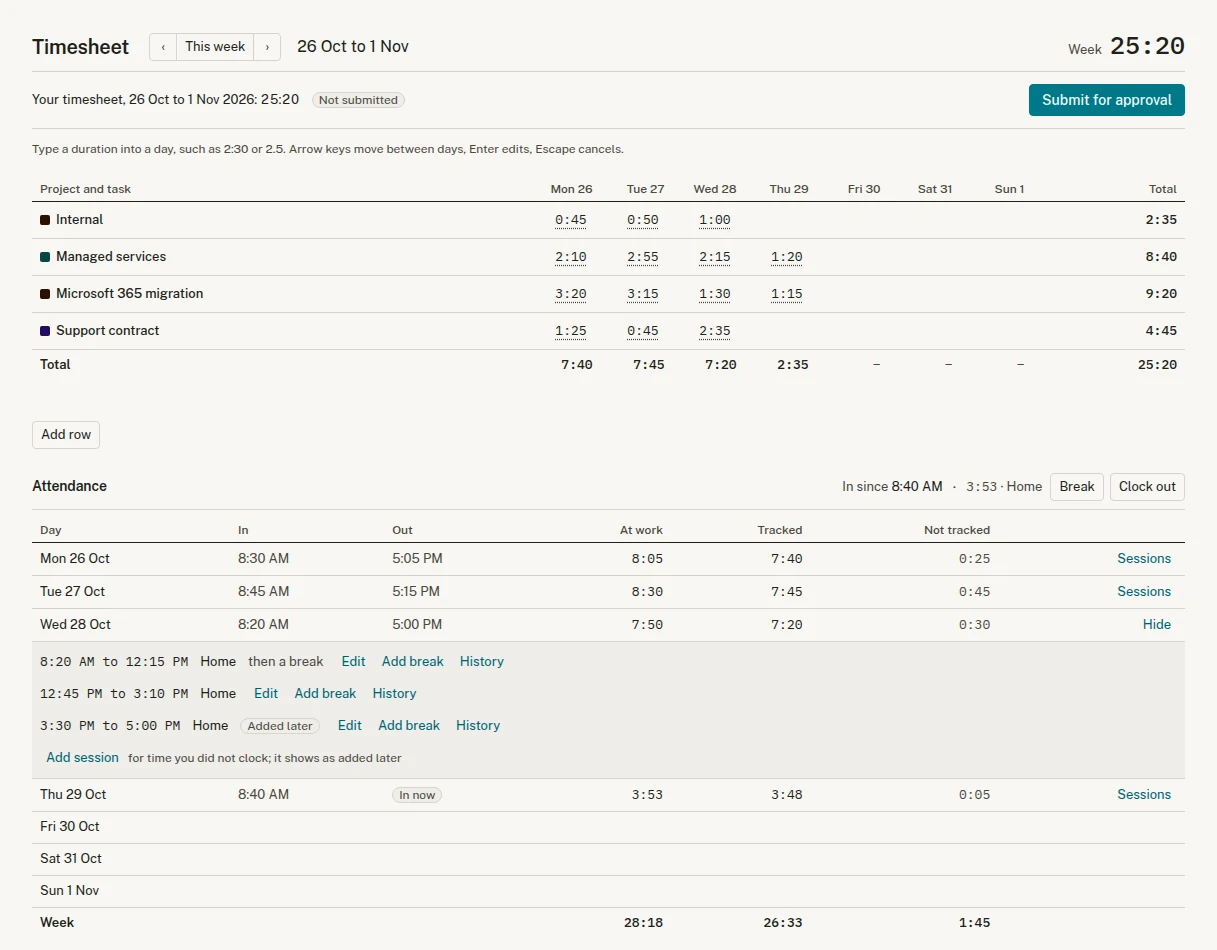
Weekly or fortnightly timesheets, with sign-off.
- People submit their week. Approvers approve it, or send it back with a note.
- Approved time is locked, so it can't change after you've invoiced it.
- Approvers see everything waiting on them in one list.
Rates and invoicing
Rates on every plan, invoicing on Team
Set your rates once, then invoice straight from tracked time.
- Billable rates for the whole workspace, a project, a person or a task, and a cost rate for each person.
- Rate changes start from a date, so older time keeps its old rate.
- Create an invoice from a client's time, then add your own lines if you need to.
- Set the tax for your workspace, such as VAT or GST, and give a client its own rate or none.
- Invoices stay as drafts until you send them, and numbers run in order with no gaps.
Attendance
Every plan
Clock in and out for the day, separately from the time you log against work.
- Clock in from the web app, Stints for Windows or Slack.
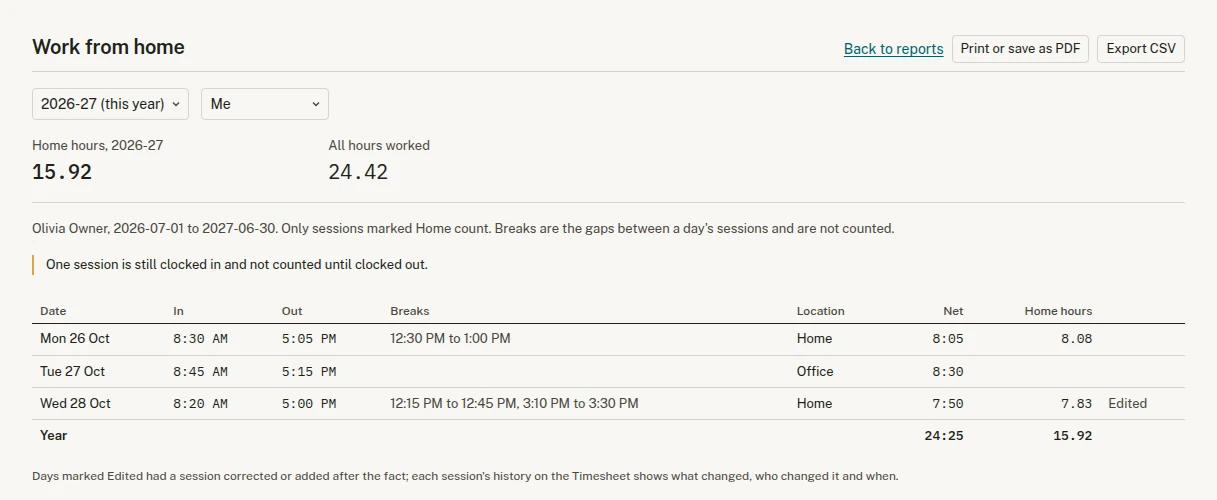
- Record where you're working: home, the office or somewhere else.
- Take a break with one click. Missed a clock-out? Fix it later, and anything added afterwards is marked as such.
- See time at work next to time logged, for each person and each day.
- Export a financial year (July to June) of work-from-home hours for your tax records.
Reports and export
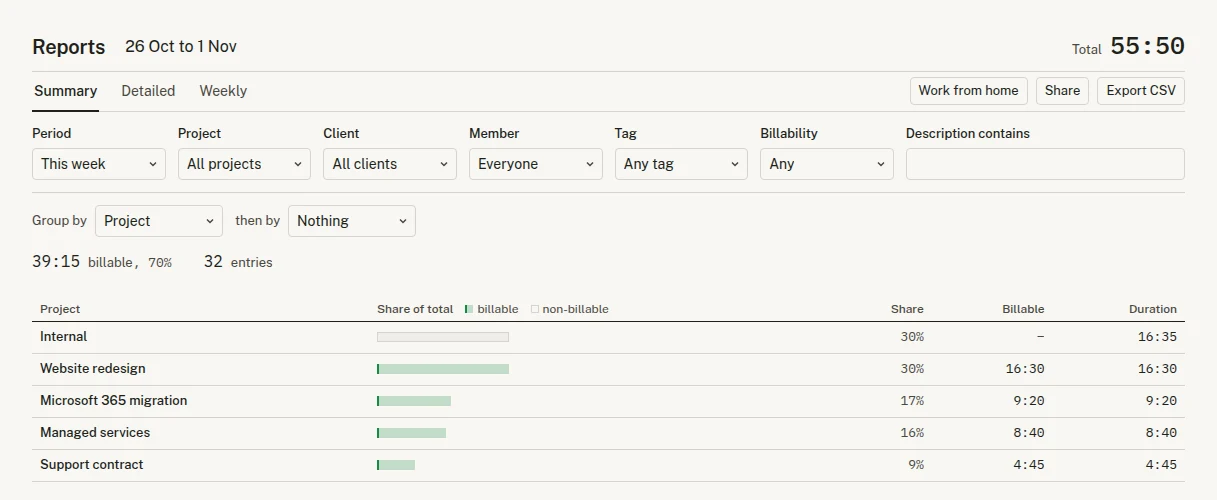
Summary, detailed and weekly reports, filtered however you need.
- Group totals by client, project, person and more.
- See every entry, or the whole week at a glance.
- Export to CSV, or share a read-only link with a client.
- Moving from Clockify? Bring your history across from a CSV export.
Jira, Slack and the Chrome extension
Track time from the tools you already use.
- Stints for Jira adds a timer to every Jira Cloud issue.
- Worklog sync copies your time back to Jira (Team plan).
- Slack reminds people when no timer has started, or when one has been left running.
- The Chrome extension adds a timer button to Jira, Zendesk, HubSpot, GitHub, Trello and more.
API, webhooks and MCP
API on every plan, webhooks on Team
Everything in Stints is available through the API.
- A documented REST API, with keys you can limit to read-only.
- The Free plan includes 60 API requests an hour. Paid plans have no hourly limit.
- Webhooks tell your other systems when time, timesheets or invoices change.
- An MCP connector lets you log and check time by asking your AI assistant.
Stints for Windows
Our Windows app spots the ticket you're working on and offers to start the timer. It's in testing, and available on request.
Try Stints
New workspaces get a 14-day free trial with every feature and no card needed. After that, the Free plan covers up to 3 people, or you can choose a paid plan.